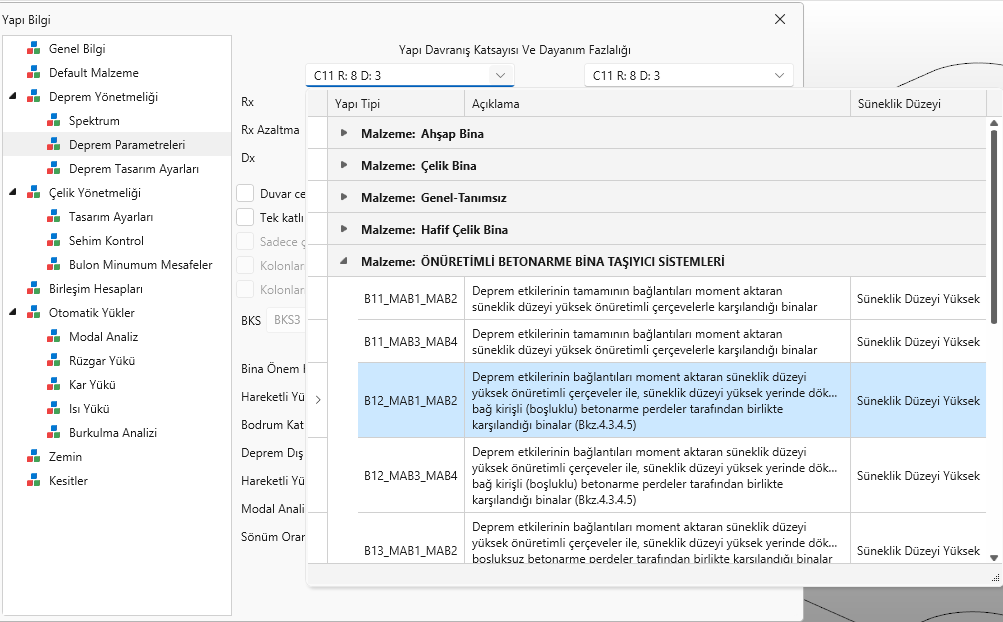
Güncelleme özeti1)Ön üretimli betonarme taşıyıcı sistemleri için hazır yapı tipleri menüye eklendi. Bu yapı tipleri için programda tasarım bulunmamaktadır sadece sınır şartları girilerek analiz yapılabilir.
Click to View Image467 View(s)
2)Katı model kesim işlemlerinde oluşan sorundan dolayı levhaların düzgün konumlanmaması sorunu giderildi.
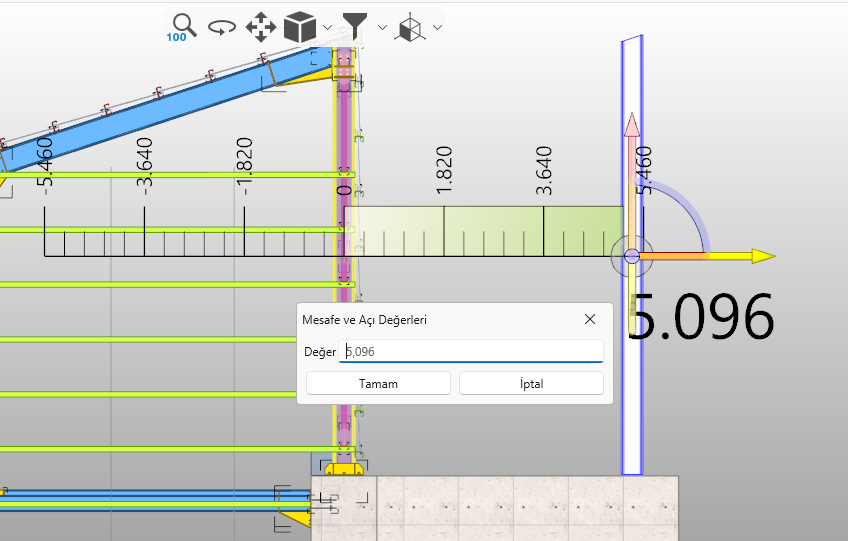
3)2d taşıma kopyalamada cetveldeki değer ile arayüzdeki değerin farklı olması durumu giderildi. (çalışma bakımından bir sorun teşkil etmiyor görsel bir sorun)
Click to View Image452 View(s)
4)Blok göster konutunda atma sorunu giderildi.
5)Tasarım sonucunda göreli öteleme göster kısmında analiz dışı perde olması durumunda oluşan atma sorunu giderildi.
https://sta4.net/steel%20help/Gorelikatotelemesikontrolu.html 6)Bir tarafı merkezi çaprazlı diğer tarafı ise moment aktaran çerçeve olan sistemlerde kullanıcının D çarpanına müdahalesinin çalışmaması sorunu giderildi.
https://sta4.net/steel%20help/TasarimAyarlari1.html 7)Kullanımda olan bir malzemenin silinmesi sonucu oluşan model açılmama sorunu giderildi. Artık bir malzeme kullanımda ise program silmeye izin vermiyor uyarı veriyor.
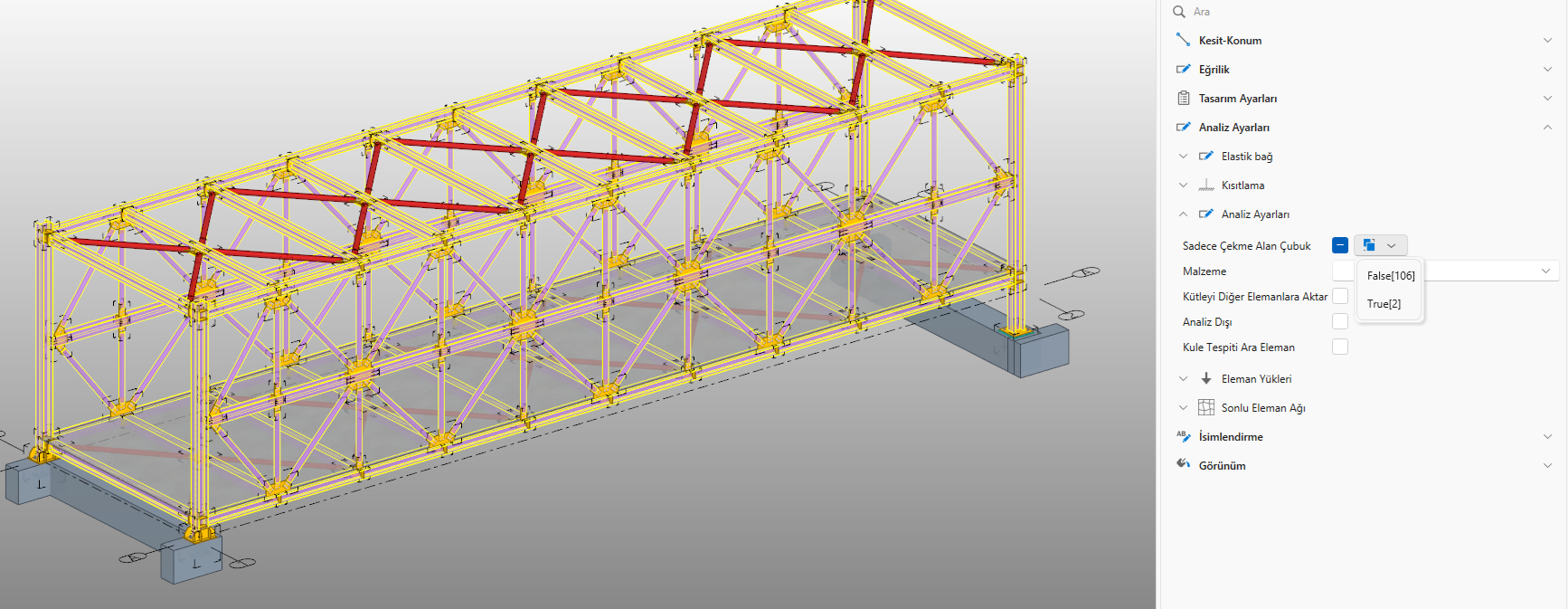
8)Bazı menülerde çoklu bir değer olması durumunda farklı değerlere sahip objelerin arayüzde gösterilmesi sağlandı. Bu sayede bu menüden bir tıklama ile farklı değere sahip objeler editörde seçilip açılabilir.
Zamanla bir çok menüde bu imkan gelecektir.
Click to View Image465 View(s)
9)Tekla ya aktarımda bulon assemly bilgisinin gitmemesi sorunu düzeltildi.
10)Bazı birleşim tiplerinde modelin tekrar açılmasında birleşimin kaybolması sorunu giderildi.
11)Tasarım sonuç ekranında iyileştirmeler.
12)Tasarım dışı seçin eleman veya birleşimlerde program artık raporda bir uyarı vermiyor. tasarım dışı seçilen birleşim veya yapı elemanları ayrıca kullanıcı tarafından kontrolü ve hesabı yapılmalıdır.
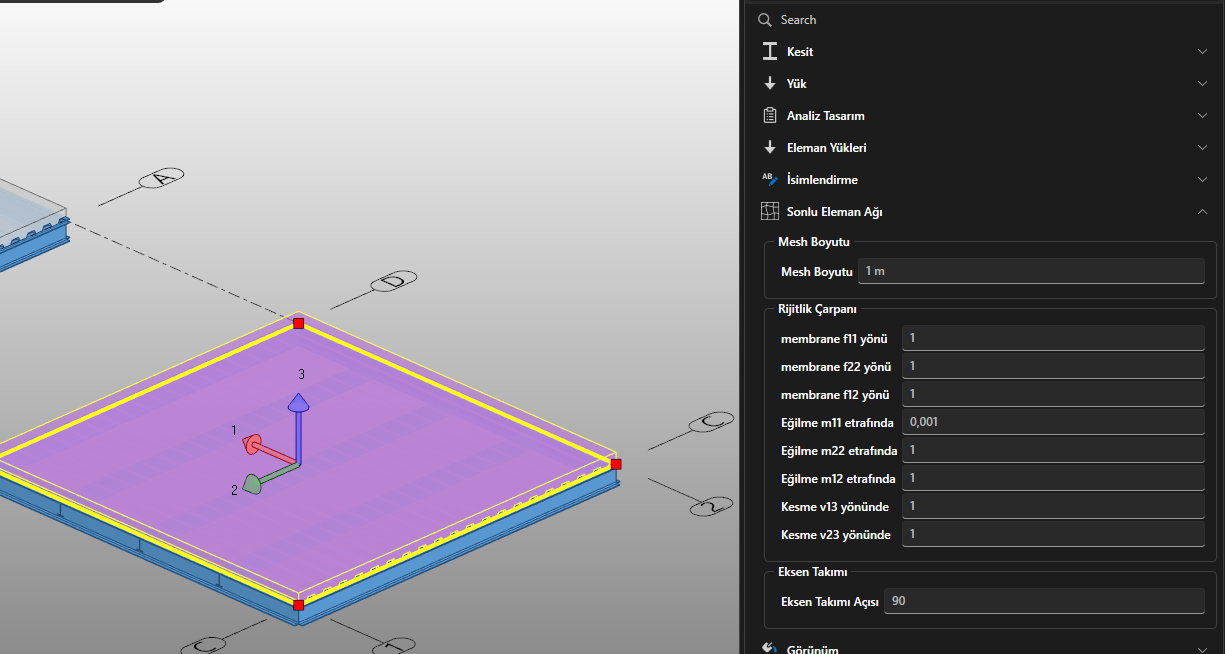
13)Döşeme perde gibi yüzey elemanlarda rijitlik çarpanları menü olarak açıldı. Bu çarpanlar programın otomatik yaptıklarına ek olarak uygulanır. Örneğin deprem yönetmeliğine göre betonarme döşemede çatlamış kesit çarpanı varsa bu değer ona ek olarak uygulanır.
Click to View Image397 View(s)
Hayırlı bayramlar...
Update summary1) Ready-made structural types for prefabricated reinforced concrete structural systems have been added to the menu. Design is not available in the program for these structural types; analysis can only be performed by entering boundary conditions.
Click to View Image467 View(s)
2) The problem of improper positioning of steel plate due to issues in solid model cutting operations has been fixed.
3) The issue of discrepancies between the value in the ruler and the value in the interface during 3D moving and copying has been fixed. (This does not pose a problem in terms of operation; it's a visual issue.)
Click to View Image452 View(s)
4) The issue of discarding in the block display section has been fixed.
5) The issue of discarding in the relative displacement display section when there is an unanalyzed shear wall has been fixed.
https://sta4.net/steel%20help/Gorelikatotelemesikontrolu.html 6) The problem of the user's intervention in the D factor not working in systems where one side is centrally braced and the other side is a moment-transferring frame has been fixed.
https://sta4.net/steel%20help/TasarimAyarlari1.html 7) The issue of the model not opening due to deleting a material in use has been fixed. Now, if a material is in use, the program does not allow deletion and gives a warning.
8) In some menus, when there are multiple values, objects with different values are now displayed in the interface. This allows objects with different values to be selected and opened in the editor with a single click from this menu.
This feature will be added to many menus over time.
Click to View Image465 View(s)
9) The issue of the bolt assembly information not being sent during export to Tekla has been fixed.
10) The issue of the connection disappearing when the model is reopened in some connection types has been fixed.
11) Improvements to the design results screen.
12) The program no longer gives a warning in the report for elements or connection selected outside the design. Connection or structural elements selected outside the design must also be checked and calculated by the user.
13) Stiffness multipliers for surface elements such as slabs and shear walls are now available as menus. These multipliers are applied in addition to those automatically applied by the program. For example, if a reinforced concrete slab has a cracked section multiplier according to the earthquake code, this value is applied in addition to it.
Click to View Image397 View(s)
Happy Eid...
Edited by user
7 months ago |
Reason: Not specified